Party with Kidddo
Connect Kidddo to LightLoop and the moment a child scans in, a full-screen celebration bursts onto every Apple TV in the room — their name, photo, and a custom sound effect.
Connect Kidddo to LightLoop and the moment a child scans in, a full-screen celebration bursts onto every Apple TV in the room — their name, photo, and a custom sound effect.
The instant Kidddo sends a check-in webhook, LightLoop triggers a joyful full-screen celebration on every Apple TV in the room — the child's name, photo, and a custom sound effect. When it clears, curriculum playback resumes right where it left off.
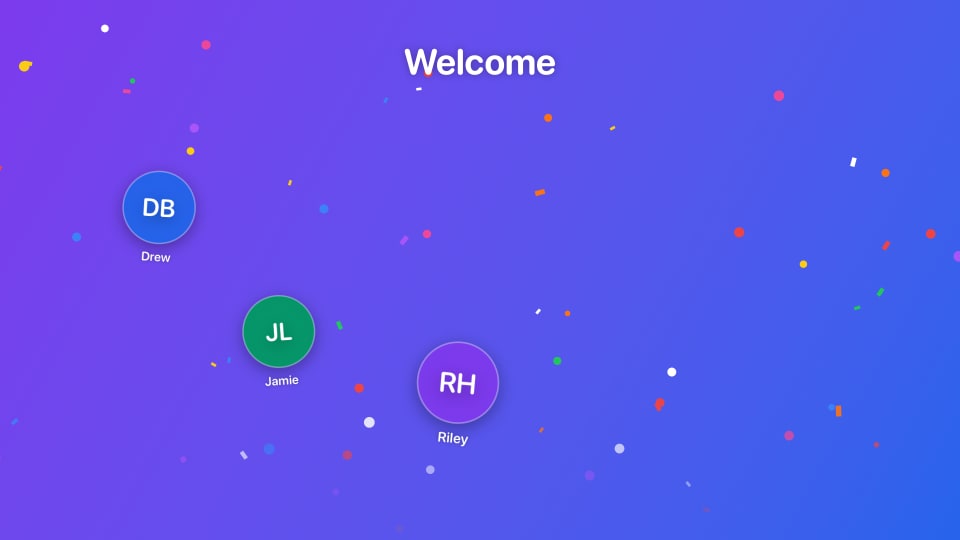
When a family checks in together, Kidddo sends all the children in a single webhook payload. LightLoop greets each child in sequence — one joyful moment per kid — without any extra configuration.
Send a test print from Kidddo and LightLoop fires a 30-second Welcome Party preview on your Apple TVs. A simple way to confirm everything is wired up before Sunday morning.
As families check in each week, LightLoop quietly collects birthdates from Kidddo's webhook. By service time, your Birthday Display slide is already populated — no manual entry, no spreadsheet, no PCO required.
When a child with a birthday this week checks in for the first time, LightLoop immediately re-renders the birthday slide and pushes it to all your Apple TVs — so teachers always see an up-to-date list, even mid-service.
The same webhook that powers Welcome Party is all you need. LightLoop quietly accumulates birthdates in the background — just create a Birthday Display in the media library and it's ready to go.
In your Feed settings, open the Welcome Party panel, select Kidddo as the provider, and save. LightLoop generates a unique webhook URL for that feed.
Copy the webhook URL from LightLoop and paste it into Kidddo under Settings → Printers → Webhook. That's the entire configuration — one URL, one paste.
Trigger a test print from Kidddo. Your Apple TVs should fire a Welcome Party preview within a second or two. If it fires, you're done — ready for Sunday.
Welcome Party, Birthday Displays, curriculum playback — everything LightLoop does with Kidddo is included at no cost. No plans, no tiers, no surprises.
One webhook URL. Paste it into Kidddo. Welcome Party fires on your Apple TVs this Sunday.