LightLoop is the FREE presentation and digital signage platform for ministry — greet people the moment they check in, display live rosters, and show upcoming events, all on your Apple TVs.
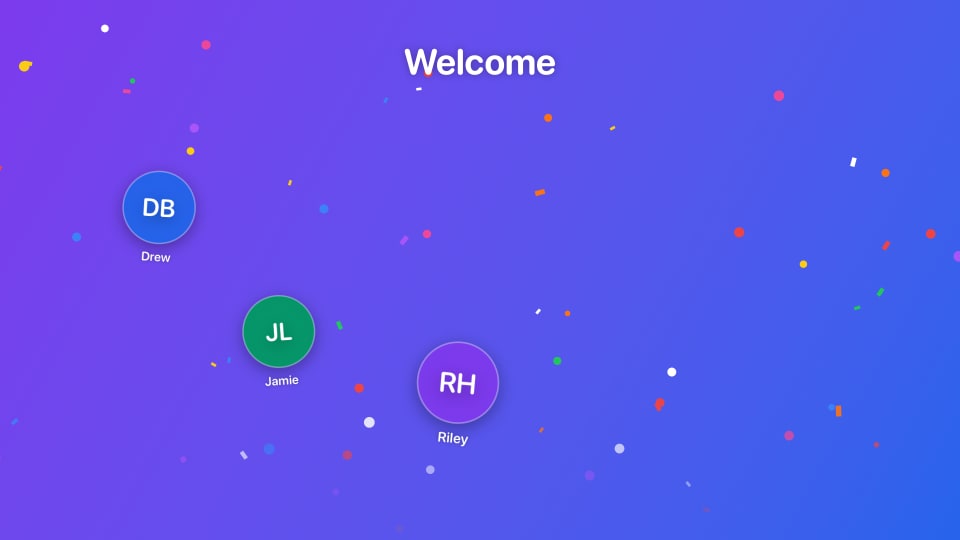
The instant someone checks in through PCO Check-In, a joyful full-screen celebration bursts onto every Apple TV in the room — their name, photo, and a custom sound effect. When it's done, your announcement slides or curriculum playback resumes right where it left off.
Child's name and profile photo pulled from PCO
Custom welcome sound effect, welcome text, background, and overlay duration
Fires on every Apple TV subscribed to that feed simultaneously
Your current playlist resumes automatically after the greeting clears
Live Stats
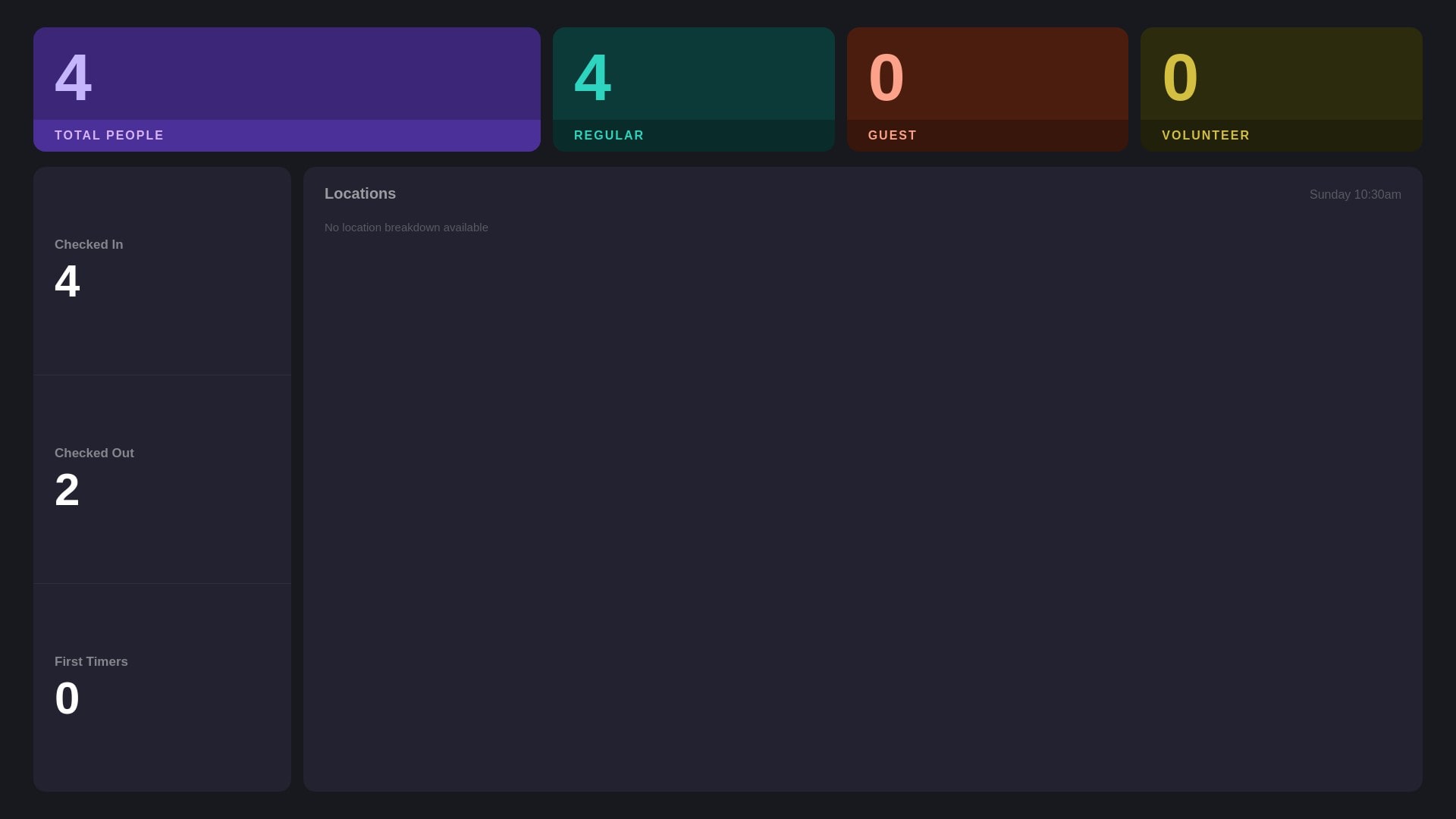
Live Check-In Stats
Display a real-time overview of checked-in people pulled directly from a PCO event. Perfect for room capacity displays, hallway security stations, or giving teachers a live headcount at a glance. The list refreshes automatically every few seconds — no manual refresh needed.
Auto-refreshes every few seconds
Shows names and profile photos from PCO
Mix into any playlist alongside curriculum and slides
Live Roster
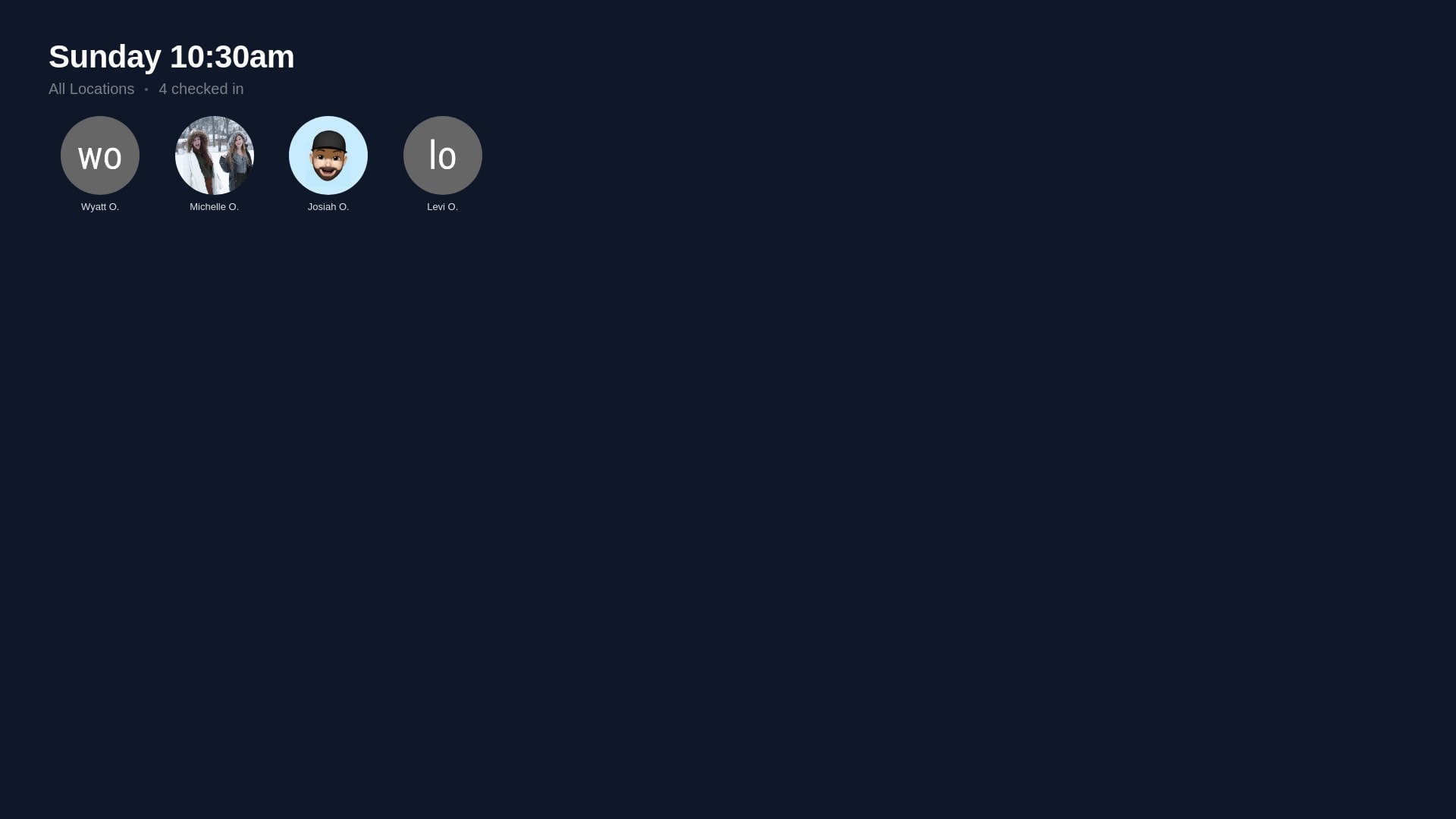
Live Check-In Monitor
Display a real-time roster of checked-in people pulled directly from a PCO event. The list refreshes automatically every few seconds — no manual refresh needed.
Auto-refreshes every few seconds
Shows names and profile photos from PCO
Mix into any playlist alongside curriculum and slides
Automatic
Birthday Displays
Connect a PCO Check-Ins event and LightLoop automatically builds a birthday slide — pulling everyone whose birthday falls this week or this month. Avatars, names, birthdates, and ages are all pulled from PCO. The slide re-renders on a schedule and whenever your configuration changes, so it's always current without any manual work.
This Week, This Month, or Past Week view
Dark or Light theme — optional custom background image
Cards scale automatically — one person or a whole class
Also works with Kidddo — updates in real time as kids check in
🎂
Happy Birthday, Emma S.
May 19 · Turning 7
Planning Center Calendar
Always Current
PCO Calendar Display
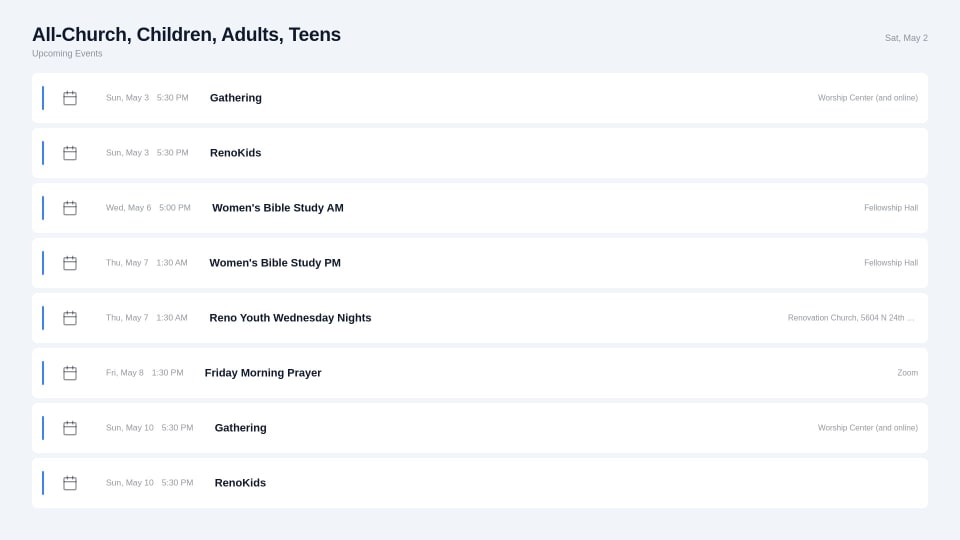
Pull your Planning Center events and service times onto any screen as a clean, always-current display. Update an event in PCO and it appears on your Apple TVs automatically — no dashboard trips required.
Upcoming events and service times from PCO
Updates automatically when events change in PCO
Mix alongside slides and video in any playlist
Planning Center Services
Worship
Songs & Service Plans
Browse your upcoming service plans from PCO Services and import songs directly into the LightLoop Song editor — no copy-pasting required. Search the full PCO song library, select an arrangement, pull its audio attachment, and build synced lyric slides in minutes. The service plan order becomes your lyric set list.
Browse upcoming plans across all service types
Search PCO song library and import arrangements
Pull audio attachments straight into the Song editor
Record timing markers and display synced lyrics on Apple TV
Amazing grace, how sweet the sound That saved a wretch like me
Built for Kids Ministry
Curriculum Playback with Pause Points
Play kids ministry video curriculum on your Apple TVs. Teachers pause mid-lesson with a button press — the video holds on that frame — then advance manually when they're ready to continue. Works with any video file, no special encoding needed.
Offline-First Playback
Every Apple TV downloads content locally before playback begins. If the internet drops during a service, your screens keep playing without a hiccup. No buffering, no dropped frames, no awkward moments in front of the kids.
Countdown Timers
Trigger live countdown banners right from your playlist. Count down to service start, or set a timer for group discussion, activity time, or clean-up. Timers update in real time and auto-clear when they reach zero.
Playlist Soundtracks
Attach background music to any playlist. Play worship songs or ambient audio between curriculum segments, with independent volume control and seamless looping — so the room never feels silent between slides.
How to Connect
1
Sign in to LightLoop
Create a free LightLoop account with your Google login — no credit card, no plans to pick. Takes about 30 seconds.
2
Connect Planning Center
In LightLoop Settings, click Connect Planning Center and authorize with your PCO account. LightLoop only requests read access to Check-In and Calendar data.
3
Add PCO items to a playlist
In any playlist, add a Welcome Party, Check-In Monitor, or Calendar item. Choose your PCO event or service type, drop it into your feed, and you're live.
$0
Every PCO integration is free
Welcome Party, Check-In Monitor, Birthday Displays, PCO Calendar, and Songs from Services are all included in LightLoop at no cost. No plans, no tiers, no surprises.
Welcome Party
Check-In Monitor
Birthday Displays
PCO Calendar
Songs from Services
Unlimited Apple TVs