Your |
on Your Screens
Upload media, organize playlists, and play on Apple TVs with offline caching. Built for churches, schools and digital signage.
Upload media, organize playlists, and play on Apple TVs with offline caching. Built for churches, schools and digital signage.
A complete media workflow from upload to playback — no technical expertise required.
Upload videos and images straight from your browser. Files stream directly to Google Drive — fast, reliable, and built for large media.
Organize media into ordered playlists or auto-rotating feeds. Schedule what plays where with a simple drag-and-drop interface.
Native tvOS app delivers smooth, frame-perfect playback on any Apple TV. Designed for the big screen from day one.
Content downloads in full before playback. No buffering, no dropped frames, no internet dependency during showtime.
WebSocket-powered sync pushes playlist changes to TVs in real time. Update content from your phone and see it reflected instantly.
Use what you have! Import your designs from Canva, Monitor your PCO Check-In's, display Lyrics / Chords, Google Calendar events and more!
Drive four screens from one Apple TV — program, confidence monitor, and livestream lower-thirds with downstream-key alpha. Learn more.
“This won't be on the screen, but Genesis 3:12 says…” — and it already is. Your phone listens, hears the reference, and puts the verse up automatically. Learn more.
Google Workplace for Nonprofits already provides your church/school with 100TB of free storage. Why not utilize it? (Don't worry, LightLoop works with any Google account)
Your files. Your Drive. Your screens.

Drag and drop videos, images, or audio files into the web dashboard. Everything is stored securely in Google Drive.

Arrange items in order, set durations, and group them into feeds. Preview exactly how it will look on screen.

Link your tvOS app to a feed. It downloads everything locally and starts playback — no streaming required.
Start free. Stay free. No surprises.
Every feature. No limitations.
No credit card required.
Everything you need to know about getting started with LightLoop.
Yes, LightLoop is 100% FREE.
Why? Our heart is to resource the global Church with the best tools and technology available. Storage (file size, ingress/egress bandwidth) is one of the largest expenses in operating a web-based platform. Using Google Drive for the file storage significantly reduces our cost of operation.
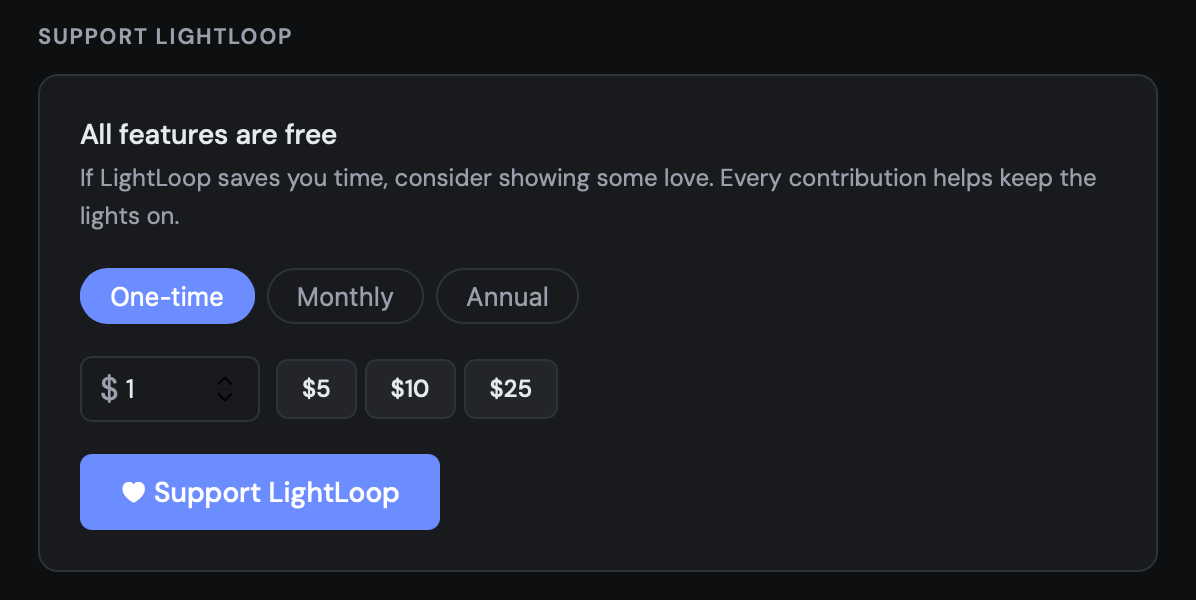
Our cloud-based and local infrastructures do incur on-going costs. If you find value in LightLoop and would like to support it's continued development, hosting, and support - account owners can make one-time or recurring gifts in your LightLoop Settings:
Sponsorship
If you are interested in supporting LightLoop in a significant way, let us know: hello@lightloop.app.
LightLoop is a media management and playback platform built for churches, schools, and digital signage. Upload media to Google Drive, organize it into playlists, and play it on Apple TVs with offline caching.
Nope. LightLoop works with any Google account. That said, many churches and schools already have Google Workspace for Nonprofits, which includes 100TB of free storage — making it a perfect fit.
LightLoop has a native tvOS app for Apple TV, designed for reliable big-screen playback. The web dashboard works on any modern browser for managing uploads, playlists, and feeds.
Search the AppleTV App Store for LightLoop
LightLoop is compatible with tvOS 17.6+ although the latest OS is recommended.
Apple TV's with tvOS
• Apple TV 4K (gen 3) - released 2022
• Apple TV 4K (gen 2) - released 2021
• Apple TV 4K (gen 1) - released 2017
• Apple TV HD* - released 2015
* Apple TV HD was known as the fourth generation Apple TV, before a rebranding in 2021. The version sold with the Siri Remote (1st generation) without the white ring on the menu button is considered vintage and may or may not receive updates beyond tvOS 26.
Budget Tip!
If you're not afraid of pre-owned tech, check-out eBay, OfferUp, and Facebook Marketplace - you can often find perfectly functional (11-year-old) Apple TV HD's for $30-$50 that still run the latest tvOS (26.x). So with Apple's typical development cycle even one of these "vintage" devices should still be able to receive LightLoop updates for at least another decade.
* LightLoop is NOT compatible with iOS-based Apple TV's (pre-2015).
Apple TV is purpose-built for exactly this use case — it's a silent, fanless box that mounts behind any display, runs cool 24/7, and gets years of OS updates. The hardware is consistent, so the app behaves predictably across every screen you deploy. It also supports automatic app launch on boot, which means your displays come back on their own after a power outage with no manual intervention.
Platforms like Firestick and Roku are designed for personal streaming, not unattended commercial use, and their APIs don't support the kind of reliable background operation and remote management Screens depends on. Android-based sticks vary wildly in hardware quality and software support.
Building for a single platform lets us ship a focused, polished product.
Budget Tip!
If you're not afraid of pre-owned tech, check-out eBay, OfferUp, and Facebook Marketplace - you can often find perfectly functional (11-year-old) Apple TV HD's (2015) for $30-$50 that still run the latest tvOS (26.x). So with Apple's typical development cycle even one of these "vintage" devices should still be able to receive LightLoop updates for at least another decade.
* LightLoop is NOT compatible with iOS-based Apple TV's (pre-2015).
Not yet. We've been reaching out to digital curriculum providers seeking integrations in order to reduce the steps you have to take between resource and screen. If you are a curriculum provider interested in partnering with us, or if you have a particular provider you use that would like us to include - please let us know: hello@lightloop.app
Yes. The Apple TV app downloads all content locally before playback. Once cached, your playlists run without an internet connection — no buffering, no dropped frames.
LightLoop itself does not impose storage limits. Your capacity depends on your Google Drive plan. Free Google accounts include 15GB, while Google Workspace for Nonprofits offers up to 100TB.
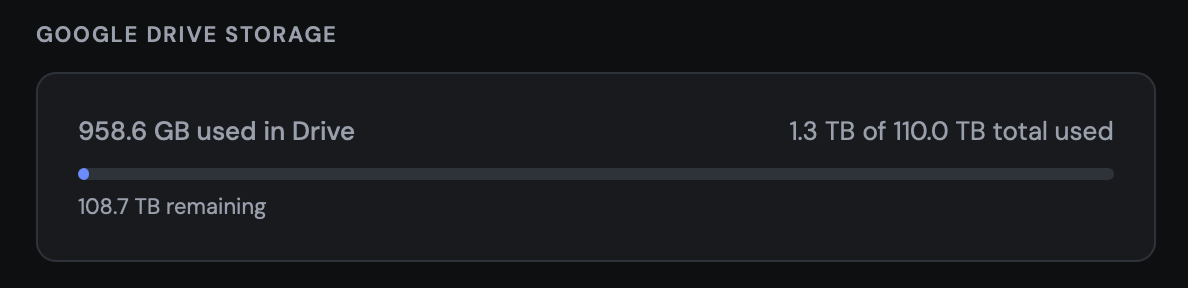
For your convenience you can also view your connected Google Drive storage availability in your LightLoop settings:
LightLoop is free to use. There are no subscription fees or hidden charges. You only need a Google account and an Apple TV to get started.
Absolutely. LightLoop is ideal for digital signage, lobby displays, cafeteria menus, and announcement boards. Create auto-rotating feeds and update them remotely from any device. LightLoop Feeds support TV's in both Landscape or Portrait orientations.
Open the dashboard to upload your first playlist, or set up your Apple TV to start playback.